
Stop Boring
Your Audience.
DeckJourney is the interactive presentation tool that replaces linear slides with clickable visual maps.
Built for coaches, educators, and founders who need to explain complex frameworks without putting people to sleep. Your audience doesn't sit through slides. They explore your ideas at their own pace.
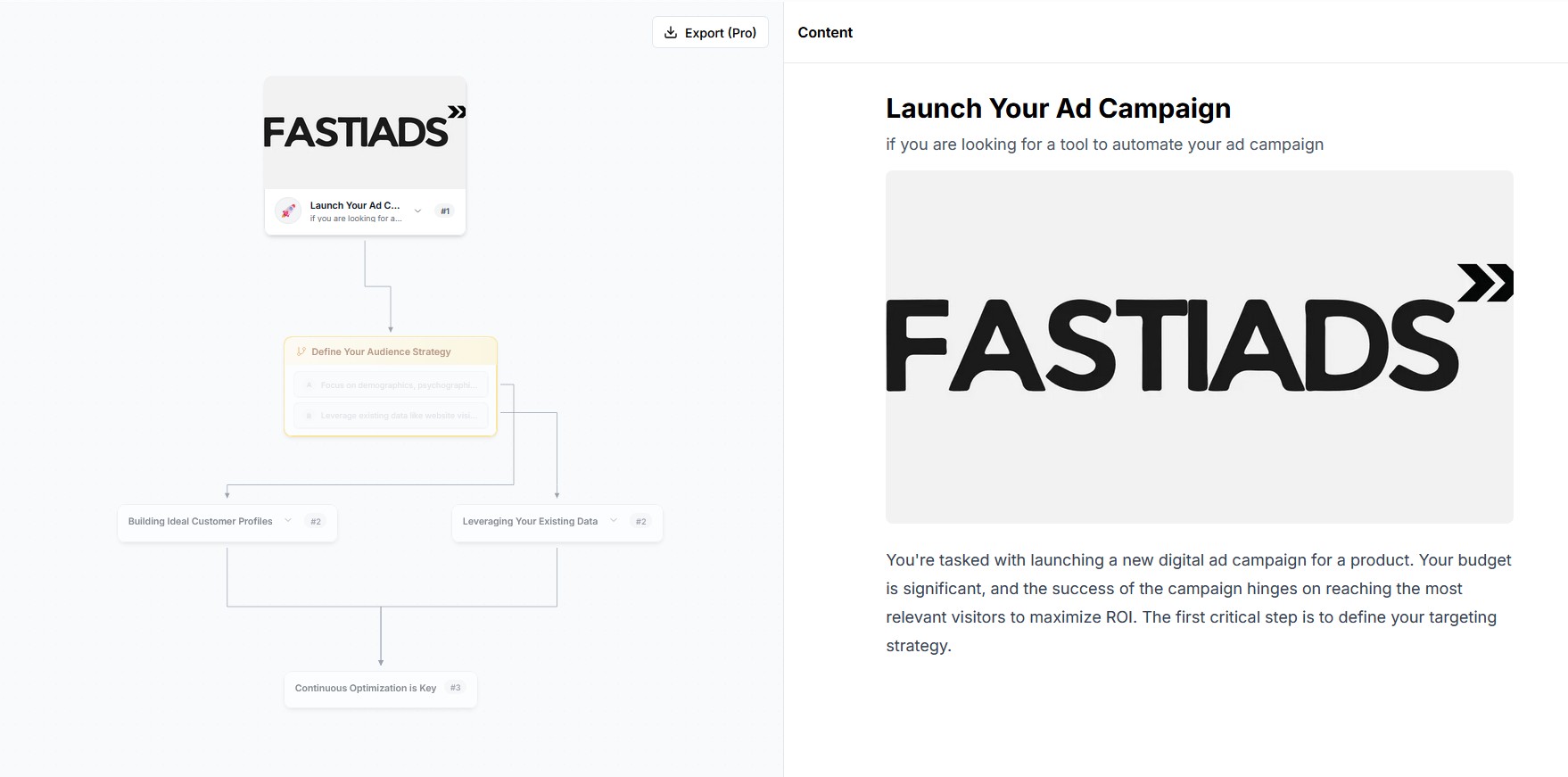
Based on aggregated DeckJourney platform analytics, Jan–Mar 2026.
Sound Familiar?
- Coaches & consultantsYour client's eyes glaze over by slide 9. They nod politely, but you can tell they're lost.
- Educators & trainersStudents keep asking "wait, which step comes after which?" because slides flatten your circular process into a straight line.
- Founders & creatorsInvestors have seen a thousand pitch decks that look exactly the same. Yours needs to stand out, but you're not a designer.
From Idea to Interactive Map in 3 Steps
No design skills. No learning curve. Just pick, customize, and share.
- 1
Pick a template
Choose a proven structure: client journey, pitch map, or course outline. No blank page, no guesswork.
- 2
Drop in your content
Swap the placeholder text with your framework, methodology, or story. Drag steps around until the flow feels right.
- 3
Share the link
Hit publish. Your audience gets a link to an interactive map they can explore on any device: phone, tablet, or laptop.
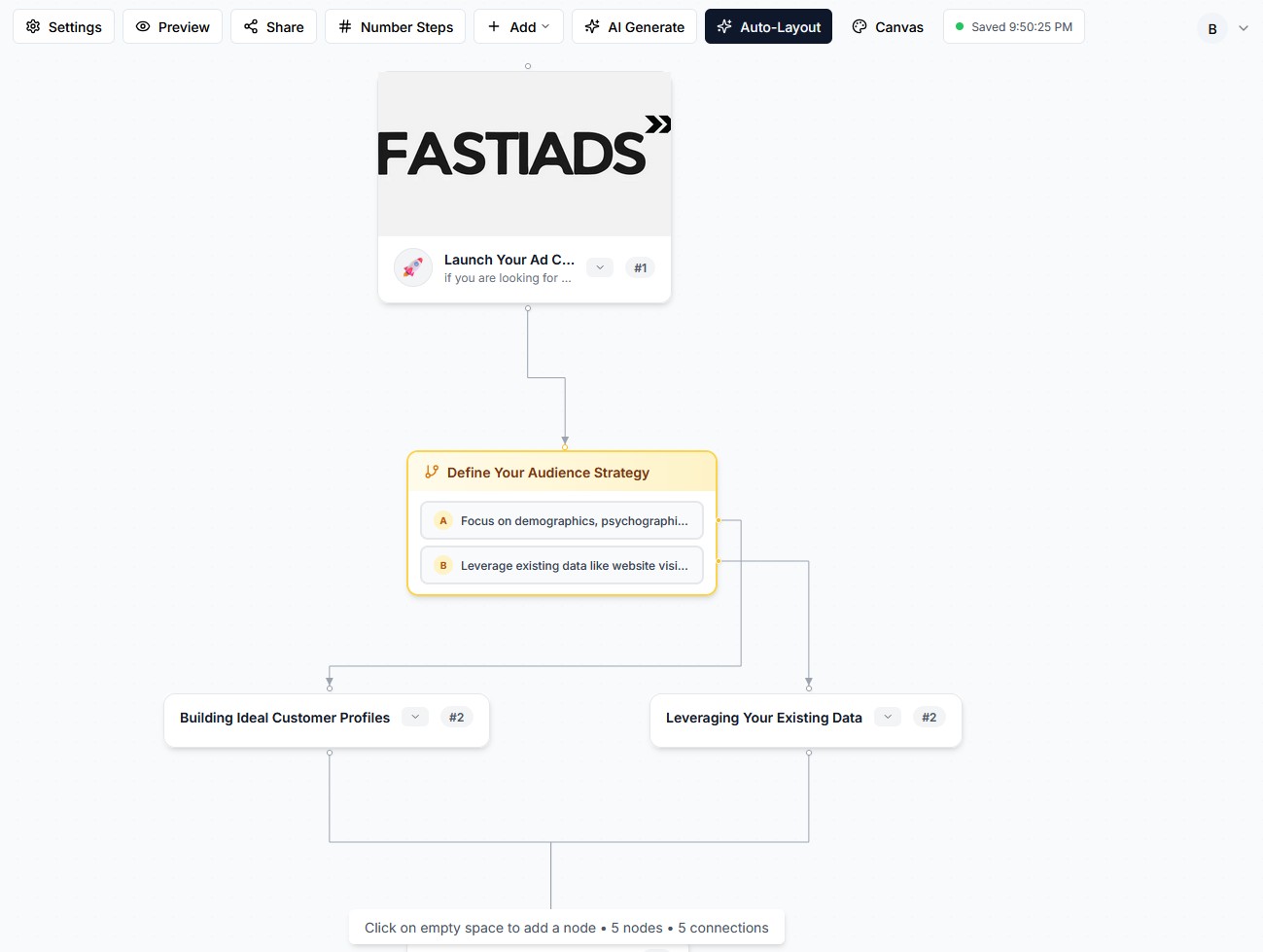
Here's what the editor looks like, simple enough that you won't need a tutorial.
Built for People Who Explain Things for a Living
If your job involves walking someone through a process, a methodology, or a big idea. DeckJourney is for you.
Coaches & Consultants
Send your framework to clients beforethe discovery call. They show up already understanding your approach. Close rate goes up because the conversation starts at “how do we begin?” instead of “what do you do?”
Educators & Trainers
Map your curriculum the way it actually works, with connections, loops, and branching paths. Students explore at their own speed and finally see how the pieces fit together.
Founders & Creators
Your product roadmap, pitch, or onboarding flow, presented as an interactive map investors and users can click through. Looks polished without hiring a designer.
Why I built this
“As a developer, my real challenge was explaining my plan to clients and showing them the value of my approach.
PowerPoint turned my system into a flat, boring list. Clients nodded along but didn't really get it.
So I built DeckJourney as a way for everyone to share their system visually, and let clients explore it at their own pace. It's 10x more engagingthan regular slides.”
Start with a Proven Structure
No blank page. Pick a battle-tested journey template, swap in your content, and publish.
Startup Journey
Document your path from idea to launch with key milestones and branching decision points.
Career Transition
Navigate a career change with clarity, map your skills, explore paths, and make the leap.
Learning Path
Map your curriculum the way it actually works, with connections, loops, and branching paths.
Common Questions
How quickly can I create my first journey?
Most people create and publish their first interactive journey in under 3 minutes using a template. Pick a structure, swap in your content, hit publish. Done.
Do I need to create an account to use DeckJourney?
Nope. You can create and share journeys without signing up. An account just helps you organize your content and track how your audience engages with it.
Who is DeckJourney best for?
DeckJourney works best for coaches, consultants, educators, and founders. Anyone whose job involves walking people through a framework, methodology, or big idea. If you've ever felt that slides flatten your thinking into a sequence it was never meant to follow, DeckJourney gives it back its shape.
Can I embed my journey on my website?
Yes. Every journey gets a unique link. Embed it on your website, drop it in an email, or share it on social media. Your audience opens it and starts exploring immediately, no downloads needed.